Sound Plugin Helpfile


Sound parameters:
Compounds:
Files
Caching
7 Band EQ
DSP Params
Options
Sound Simple
Cache Simple
Sound FCurve
Sound Visual


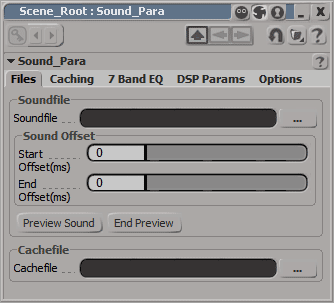
Files:
Soundfile Select the soundfile that you want to play.
Start Offset Here you can set the startposition of the sound. 0 play from start.

Example:
When the sound should play at 40s from the begining, you must type in 40.000.
End Offset In this field you can type in the length of the sound. 20.000 means, the sound will play 20s from the "Start Offset". In the example above, the sound will play from 40s - 60s.
0 will play the whole sound.
Preview Sound With this button you can listen the sound. All settings (Offset, EQ and DSP) will be considered.
End Preview Stops the preview.
Cachefile The cachefile to load for the "Simple Cache Coumpound".

Back to top


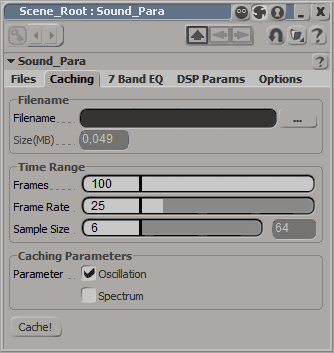
Caching:
Filename The name of the cachefile you will save.
Frames Number of Frames you want to cache. When you use the "Frame Offset" in the "Simple Cache Compound" you should add the offset to the frames.
Frame Rate The framerate from the final animation.
Sample Size Number of samples. The same you use in the "Simple Sound Compound" Min = 6. Max = 13.
Parameter The Data you want to cache.
Cache! Start the caching.

Back to top


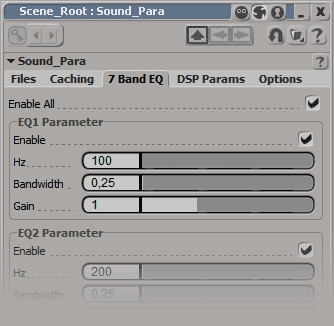
7 Band EQ:
Enable All Enable all EQ´s.
Enable Enable the current EQ.
Hz Frequency center. Min = 20.0. Max = 22000.0.
Bandwidth Octave range around the center frequency to filter. Min = 0.2. Max = 5.0.
Gain Frequency Gain. Min = 0.05. Max = 3.0. Value of 1 hast no effect.

Back to top


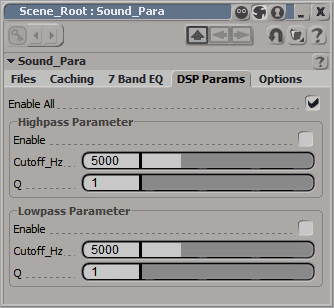
DSP Params:
Enable All Enable all DSP ´s.
Enable Enable the current DSP.
Cutoff Hz Cutoff frequency in hz. 1.0 to output 22000.0.
Q Resonance Q value.
For highpass Min = 1.0. Max = 10.0.
For lowpass Min = 0.0. Max = 127.0.

Back to top


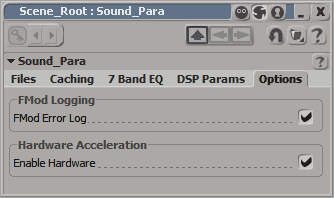
Options:
FMod Error Log Enable or disable the error log of FMod
Enable Hardware Enable Hardware mixing. Some effects, as DSP´s or EQ´s could´t work with Hardware.

Back to top


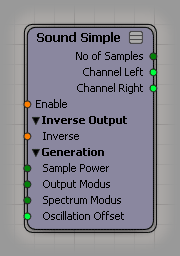
Sound Simple:
Input:  
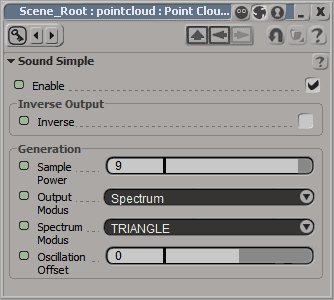
Enable Enable or disable the Compound.
Inverse Invert the Outputarray. That mean, it reversed the array.

Example:
Array[0] = Array[2047] / Array[2047] = Array[0]
Array[1] = Array[2046] / Array[2046] = Array[1]
Sample Power Must be a power of 2. (ie 128/256/512 etc).
Range for oscillation. Min = 2 (4 Samples). Max = 14 (16384 Samples).
Range for spectrum. Min = 6 (64 Samples). Max = 13 (8192 Samples).
Output Modus Either oscillation or spectrum
Spectrum Modus List of windowing methods used in spectrum analysis to reduce leakage / transient signals intefering with the analysis.

Possible methods are:
Rectangle, Triangel, Hamming, Hanning, Blackman, BlackmanHarris.
Oscillation Offset Changes the zero crossing point.
Output:  
No of Samples Output the number of samples. Related to the "Sample Power".

Example:
"Sample Power" is 9 then "No of Samples" is 512.
Channel Left Outputs an array with lenght "No of Samples" for the left channel.

Example:
"Sample Power" is 11, then the array has an lenght of 2048.
Channel Right The same as above for the right channel.

Back to top


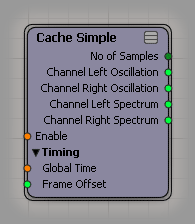
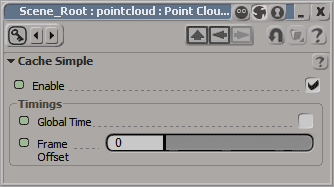
Cache Simple:
Input:  
Enable Enable or disable the Compound.
Global Time Here you can enable the "Global Time". That means, that the time is starting, when you start the playback. Otherwise the time will started at frame 2.
Frame Offset The offset which frame are readed from the cache.
Output:  
No of Samples Output the number of samples. Related to the "Sample Power".

Example:
"Sample Power" is 9 then "No of Samples" is 512.
Channel Left Oscillation Outputs an oscillation array with lenght "No of Samples" for the left channel.

Example:
"Sample Power" is 11, then the array has an lenght of 2048.
Channel Right Oscillation The same as above for the right channel.
Channel Left Spectrum Outputs an spectrum array with lenght "No of Samples" for the left channel.
Channel Right Oscillation The same as above for the right channel.
Back to top


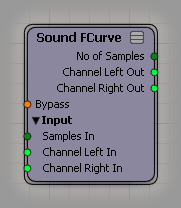
Sound FCurve :
Input:  
Bypass Bypass the output data to the original input data
Samples In Here you can plug in the output "No of Samples" from the "Sound Simple" or "Cache Simple"
Channel Left In In this port you should plugged the output channel left from the compounds above.
Channel Right In The same for the other channel
Output:  
No of Samples Output the number of samples from the input "Samples In"
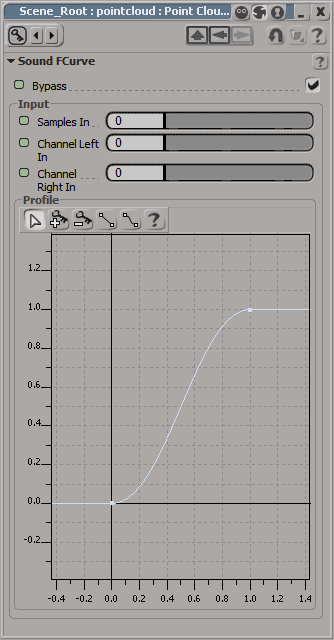
Channel Left Out Outputs the array from "Channel Left In" with the use of an FCurve.
Dobbleclick the compound to setting up the FCurve.

Both channels have the same FCurve.
Channel Right Out The same as above for the right channel.
Back to top


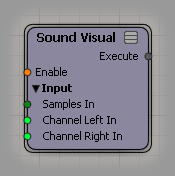
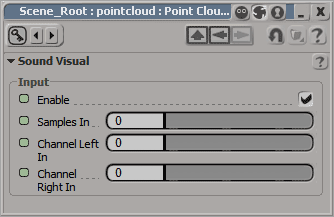
Sound Visual :
Input:  
Enable Enable or disable the Compound.
Samples In Here you can plug in the output "No of Samples" from the "Sound FCurve", "Sound Simple" or "Cache Simple"
Channel Left In In this port you should plugged the output channel left from the compounds above
Channel Right In The same for the other channel
Output:  
Execute This Execute should be plugged in a ICE-Tree port.
Back to top